Build TikTok-ready UGC ads
by chatting with Claude.
Connect FacelessVidz to Claude in 60 seconds. Then ask Claude for a full UGC ad, a still image, a custom workflow, or a tweak to an existing one — and it builds the workflow on your canvas automatically. Every node is real, every credit is yours, every output stays in your account.
https://www.facelessvidz.com/api/mcp/mcpAI Influencer Selfie (Riley)
Grandma's Candle Shop Story Ad
Skincare UGC Ad
Your Next Opponent Is YOU
AI Influencer Selfie (Talia)
Talking-Head Explainer
Kids Learning Cartoon
Tech Guru Screenshot UGC
Before / After Transformation
Every clip above is a real FacelessVidz output — each one is a single message to Claude away.
New here, or stuck connecting?
This integration is brand new. If anything doesn't work or you have feedback, reach out, we read every message and reply fast.
Say it. Watch it get made.
Every clip below is a real FacelessVidz generation. Under each one is the plain sentence you'd type to Claude to get it — no canvas, no prompting tricks, no editing. Hover any tile to play it.
One product photo in. A story ad out.
The organic dropshipping format printing on TikTok right now: a maker asks viewers to support their small handmade business, then b-roll shows the product being crafted by hand. Creators sell courses on this exact workflow. Here, it's one conversation with Claude.
On it. Here's the plan:
- 1.One maker portrait, generated once and reused in every shot for a consistent face.
- 2.Four story beats, all referencing the maker plus your exact product photo.
- 3.Stitched into one vertical video on your canvas.
I'll show the exact credit cost before anything generates. Run it, or keep it as a draft?
generate_imagebuild_custom_workflowrun_workflowA real output
One prompt, one candle photo, zero edits
The hook8s
“Could you stay just twelve seconds to support my little candle shop?…”
The maker speaks straight to camera with native audio and synced lips.
Rough work5s
Hands shape the raw material at the workbench, two angles back to back.
Fine details5s
Close-up assembly and painting, a slow zoom and an overhead angle.
The reveal5s
The finished product at home, handheld pan and a closing zoom.
Same maker, same product, four beats, one stitched 9:16 video. Want a change? Just say it: "redo the hook, less salesy" or "make the product bigger in shot 4" regenerates only that clip.
One prompt. A person who doesn't exist.
Both of the women below came out of a single generate_image call each. No reference photos, no retouching, no editing — the images here are the raw outputs, 12 credits and about a minute apiece.
Here she is — 12 credits, generated in about a minute. Want a second look for her, or a different girl entirely?
generate_imageOn it — motion control copies the choreography from your reference video onto her, physics and all. I'll show the credit cost before anything renders.
upload_reference_assetad_motion_control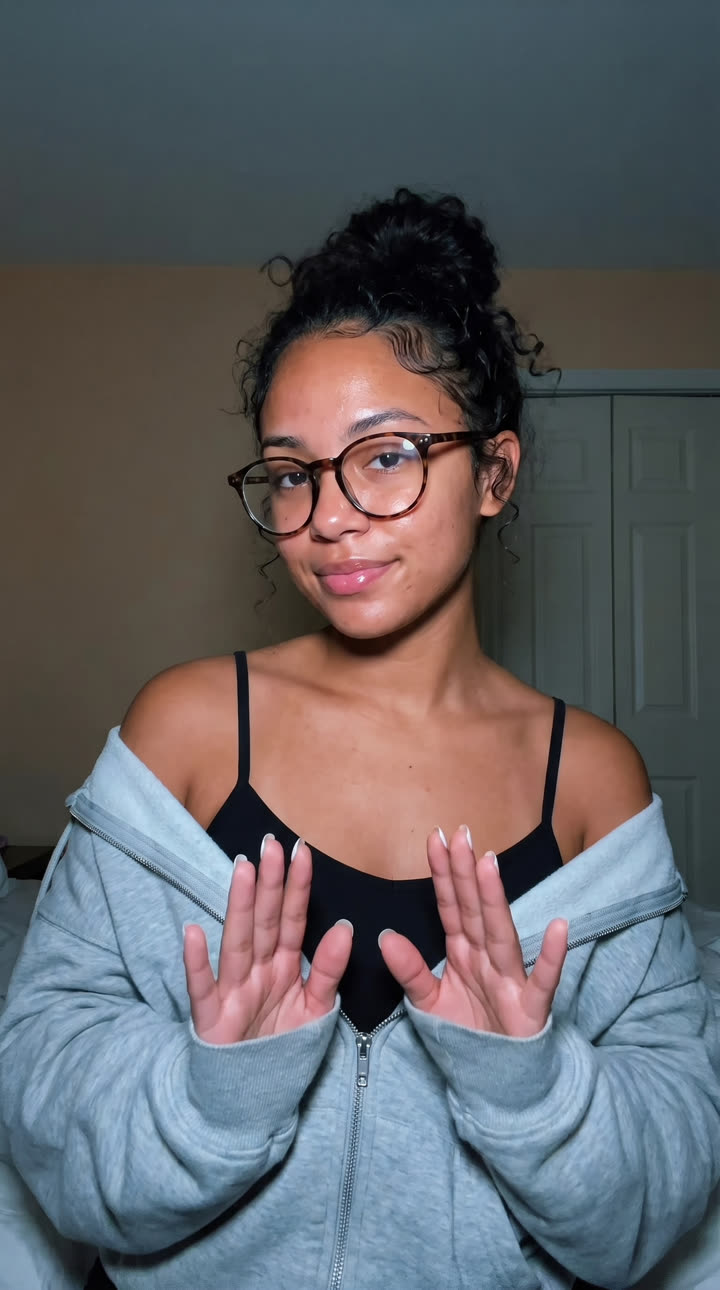
Riley · Glasses era
One prompt · 12 credits · zero edits
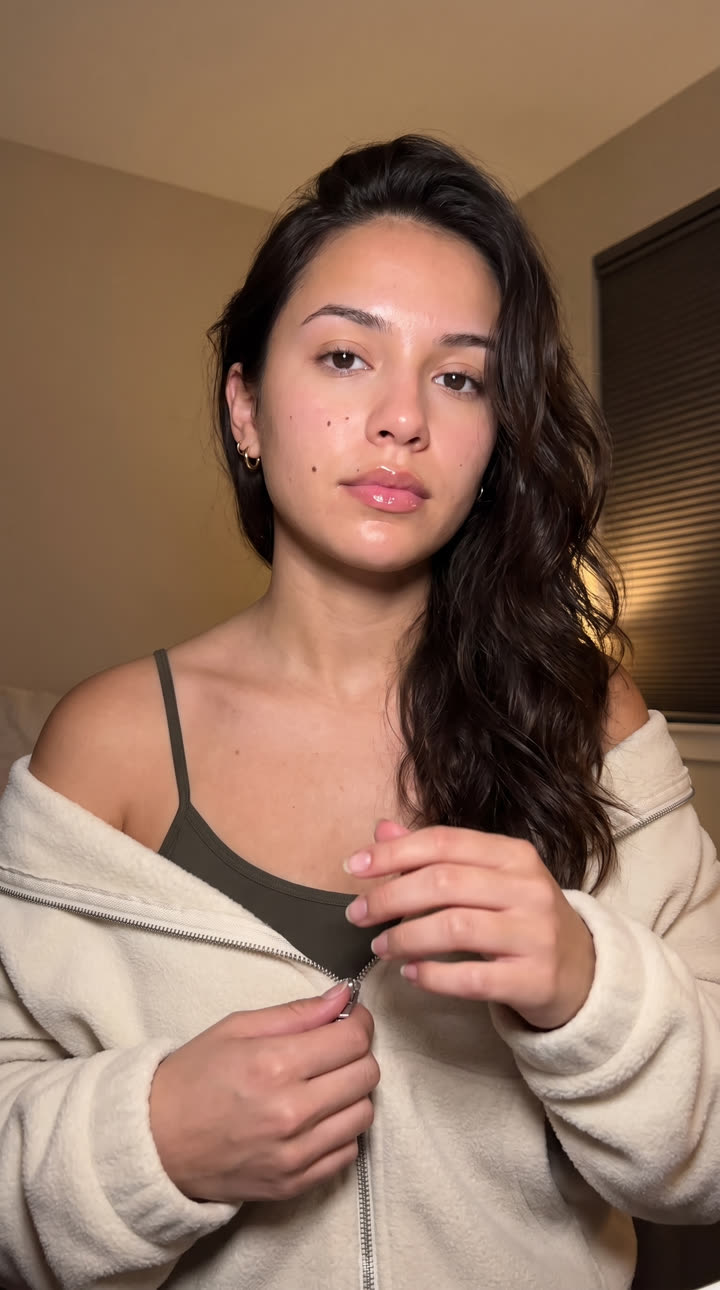
Talia · Late night
One prompt · 12 credits · zero edits
Neither of them exists. Lock the face you like as a character and she stays consistent across every future video, outfit, and location — then motion control makes her copy any dance or gesture from a reference video you upload.
How it works
FacelessVidz exposes a Model Context Protocol (MCP) server. When you connect it to Claude, every FacelessVidz tool becomes a native tool Claude can call mid-conversation — like having a co-pilot that actually clicks the buttons on the canvas for you.
OAuth handshake links Claude to your existing FacelessVidz account. No API keys to copy.
Describe what you want — a 10-second leggings ad, a still product hero shot, a remix of your last workflow. Claude picks the right tool.
Workflows land on your canvas as drafts you can inspect, then either run node-by-node or kick off all at once. Real credits, real outputs.
Connect in 60 seconds
Three ways to use the connector. Pick the Claude you already use.
Claude.ai (web)
RecommendedBrowser, no install. Best for trying it in 60 seconds.
- 1
- 2Click Add custom connector.
- 3Paste the MCP URL:
https://www.facelessvidz.com/api/mcp/mcp - 4Authorize when the OAuth pop-up appears (signs into your existing FacelessVidz account).
- 5Start a new chat and ask: "what tools do you have from facelessvidz?" — Claude should list ad_ugc, generate_image, build_custom_workflow, fork_workflow, update_workflow, get_job_status, etc.
Claude Code (CLI)
Run it from your terminal. OAuth handled automatically.
- 1Install Claude Code if you don't have it already:
- 2
bash
npm install -g @anthropic-ai/claude-code - 3From any project folder, add the connector:
- 4
bash
claude mcp add facelessvidz https://www.facelessvidz.com/api/mcp/mcp - 5Claude Code will open the OAuth flow in your browser. Sign in to FacelessVidz once, then return to the terminal.
- 6Verify the tools are available:
bash
claude mcp list
Claude Desktop (Mac / Windows)
Add it to claude_desktop_config.json.
- 1Open Claude Desktop → Settings → Developer → Edit Config.
- 2Paste this connector block into the
mcpServersobject:json
{ "mcpServers": { "facelessvidz": { "url": "https://www.facelessvidz.com/api/mcp/mcp" } } } - 3Restart Claude Desktop. The first message that uses FacelessVidz will trigger the OAuth flow — sign in to your existing account.
- 4If you see "no tools available" after restart, open Settings → Connectors and confirm every FacelessVidz tool is enabled.
Say what you want. Watch what you get.
Plain English on the left, a real FacelessVidz output on the right. Claude figures out how to build each one — you never touch a canvas.
Make a full ad
The creator, the shots, the voiceover, and the final stitched video — all from one message.
UGC ad
Story ad
Make a single thing
Just one asset, no full-ad scaffolding — a still image, a single clip, or a voiceover. Claude picks the model.
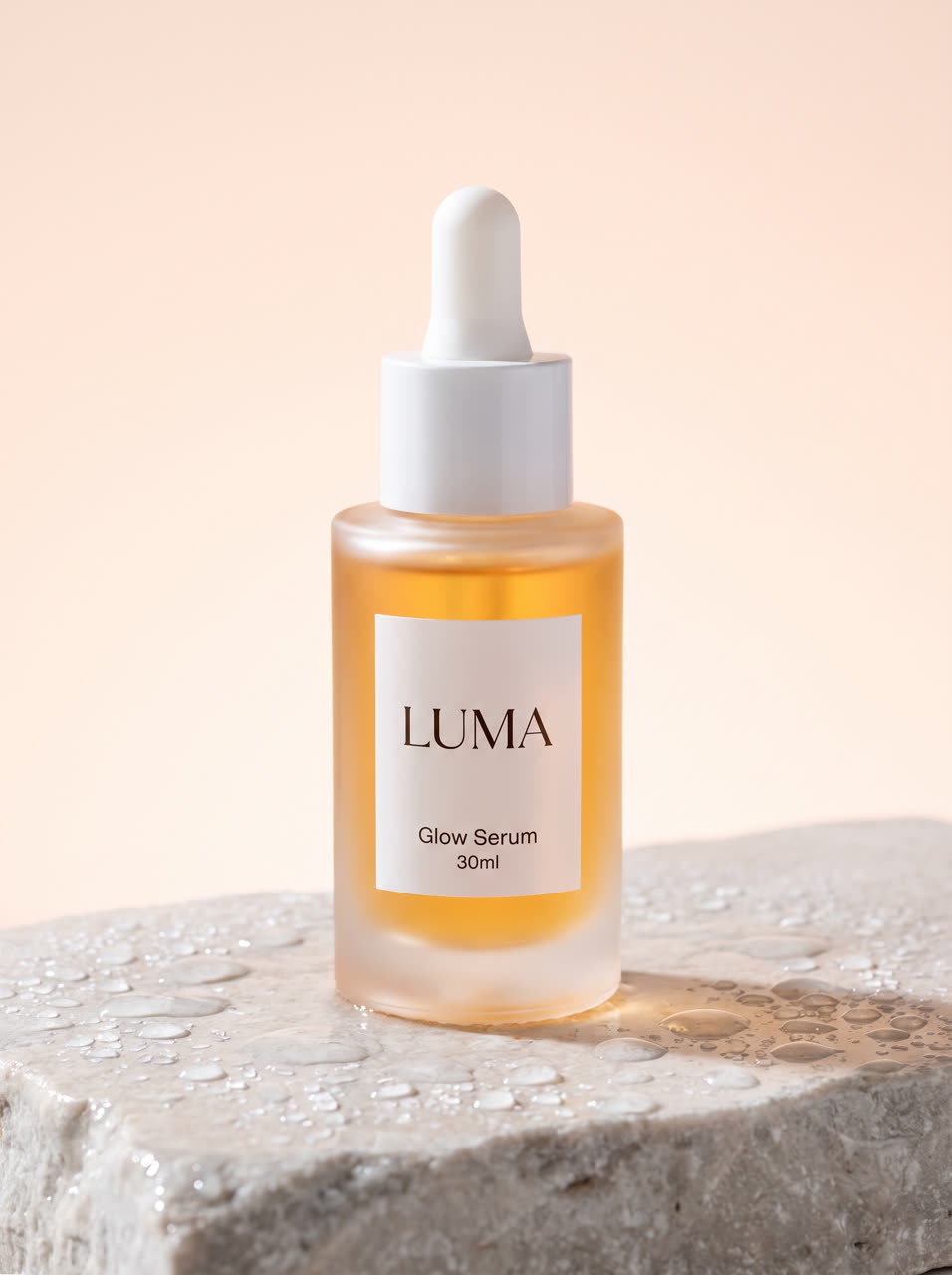
Your photo

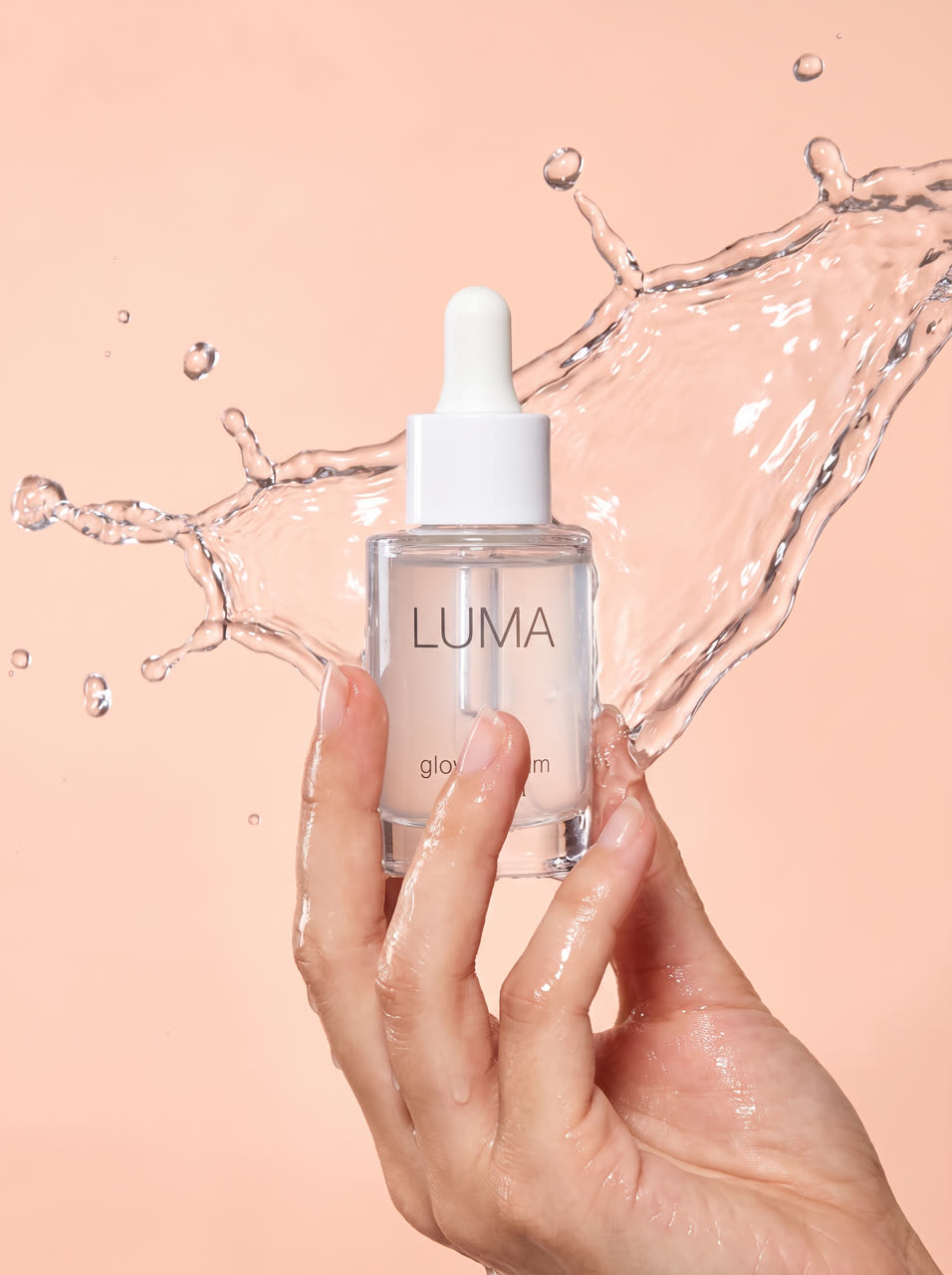


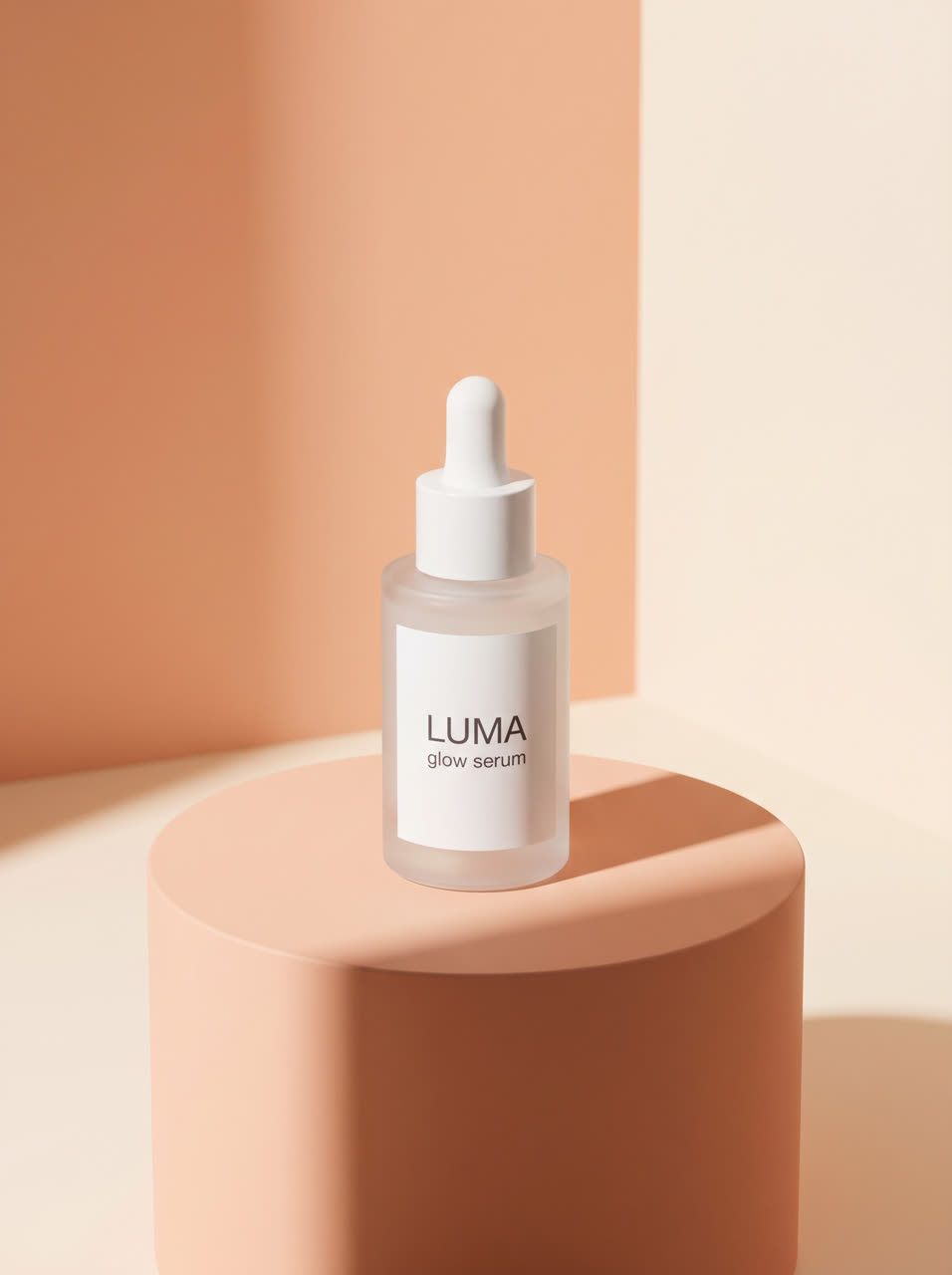

One generate_image call each — six real, untouched shots.
Edit & remix
Change your mind out loud. It edits in place if nothing generated yet, or copies the finished one and reuses what didn't change so it costs less.
Same clip, 6 caption styles — tap one.
Automate & post
Turn any workflow into a daily faceless channel that posts itself — a fresh, varied episode every day, on-brand every time.
Or just check in
“Is that ad done yet?”
Live status + the result link.
“Cancel that job.”
Stops it, refunds what hadn't started.
“How many credits do I have left?”
Balance, plan, and status.
Every model, one conversation
You never pick a model by hand — describe the look or the job and Claude routes to the right one. Here's the full roster it can reach.
Video
10Cinematic text-to-video with optional native audio. Best for story beats where camera movement matters.
Top-tier character action with multiple references and native audio — the default when talent has to move convincingly across several shots.
High-quality video generation.
High-quality video with native audio and the widest reference support. The one clip model that takes a reference voice, so a single voice can run across every clip.
High-quality single-reference image-to-video at a lower cost than Omni.
Apply the camera or character motion from a reference video onto your own character or product.
High-quality video generation.
High-quality video generation.
High-quality video generation.
High-quality video generation.
Image
5Studio-grade, hyper-real character and product shots. The pick for hero images and talent references when quality matters most — up to 4K.
Fast, realistic images at a lower credit cost. A great everyday default for talent and product shots.
Top-tier quality with a more permissive filter — reach for it when a prompt is edgy but not graphic.
Sharp text rendering and faithful edits over a single reference image.
Strong multi-reference understanding — blend up to sixteen references into one image.
Voice & audio
5The default voiceover engine for English ads — expressive delivery and ten curated preset voices.
Voice cloning from a short sample, voice design from a description, and extra language coverage.
Clone a voice once from a short sample into a reusable voice, then generate unlimited clips from it. Forty-plus languages with emotion and speed control.
Connect your own ElevenLabs account to use its premium voice library and cloning, billed on your ElevenLabs plan.
Sync any audio track to the lip movement in a talking-head clip.
Generation runs on your FacelessVidz credits — Claude shows the credit cost before anything expensive starts. Voices you connect yourself (like your own ElevenLabs account) bill on that account instead.
FAQ
Do I need to know how to code?
No. You just chat in plain English — "make me a UGC ad for these leggings," "generate a product photo," "change the talent to a guy in his 30s." Claude figures out which tool to use and builds it on your canvas. The setup is a one-time connect; after that it's all conversation.
Does it cost extra, or use my normal credits?
It uses the exact same FacelessVidz credits you already have — nothing extra for connecting to Claude. Before anything expensive runs, Claude tells you the credit cost and waits for your OK. Small things (like a single image) just run. Editing or remixing an existing project is usually cheaper than making it from scratch.
Is Claude free to use?
Claude.ai has a free tier that works with the connector, plus paid plans for heavier use — that's billed by Anthropic, separate from FacelessVidz. Claude Code and Claude Desktop work too. You only pay FacelessVidz credits for what you actually generate.
I connected it but Claude says it can't find FacelessVidz.
Open a brand-new chat first — Claude loads your connected tools when a chat starts, so older chats won't see it. If a fresh chat still doesn't work, go to Claude's Settings → Connectors, disconnect FacelessVidz, and reconnect. That takes about 10 seconds and fixes it almost every time.
Can I change something after Claude builds it?
Yes. Just tell Claude what to change — "make the first clip shorter," "swap the background," "use a different voice." If the project hasn't generated yet, it edits it in place. If you've already generated it and want to keep the original, Claude makes a copy with your changes instead, so you never lose work.
Will everything still show up in my account?
Yep. Anything Claude makes lands in your FacelessVidz library and on your canvas, exactly like if you'd made it on the site yourself. Claude only ever touches your own account, and you can keep using the website normally — the connector is just an extra way to create, not a replacement.
Do I have to use Claude now?
Not at all. The whole site works exactly as before — tools, workflows, the canvas. Claude is an optional shortcut for people who'd rather describe what they want than click through it. Use it when it's handy, ignore it when it's not.
Ready to try it?New
Connecting takes about 60 seconds. Start with a single-clip ad, paste a Shopify product URL, see what Claude builds. You can cancel anything before it costs credits.
https://www.facelessvidz.com/api/mcp/mcp